
AWS Config Pricing: What It Costs and Why the Bill Grows
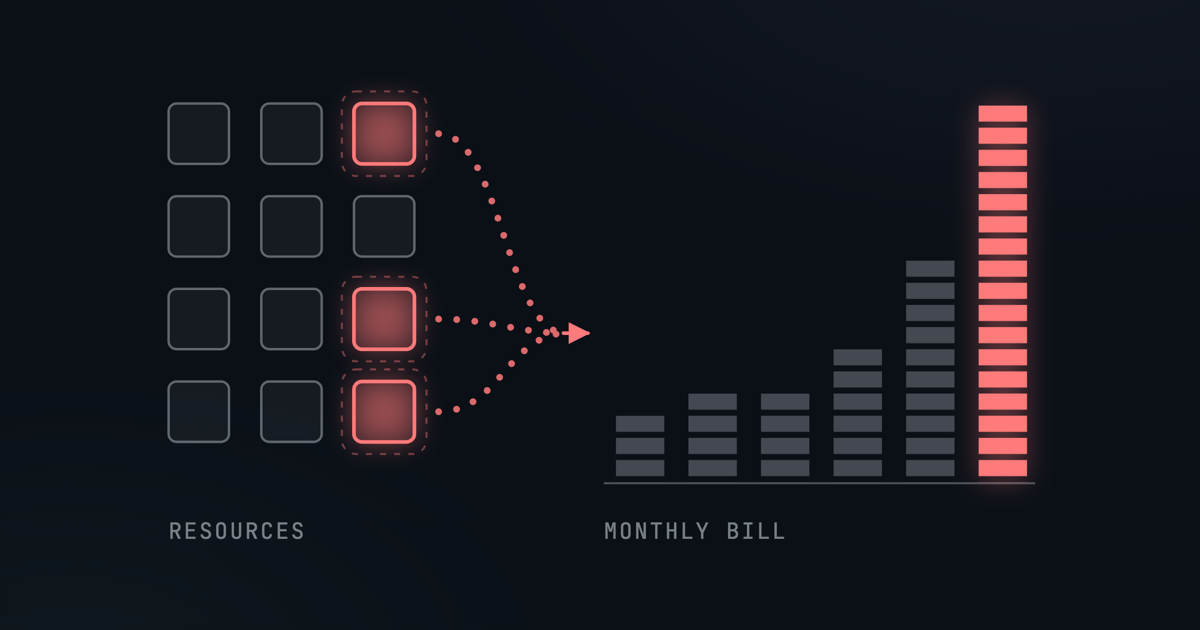
You Pay for Change, Not for Resources
AWS Config keeps a record of how your AWS resources are configured and checks them against rules. It is also one of the harder lines on an AWS bill to predict. It can sit at a few dollars for months, then double without anyone launching a new project.
The reason is how it is priced. Most of a Config bill follows how often your resources change, not how many of them you have. A large account that rarely changes can cost less than a small one that changes all day.
This post covers what Config charges for, what makes the bill grow, and how to find and cut what is driving yours. The figures here are rounded from AWS's list prices in October 2026. Prices change, so check the AWS Config pricing page before you plan around them.
What AWS Config Charges For
Config bills for three things: the changes it records, the rule evaluations it runs, and the evaluations run by conformance packs.
| What you are charged for | Roughly |
|---|---|
| Configuration items, continuous recording | $3 per 1,000 items recorded |
| Configuration items, daily recording | $12 per 1,000 items recorded |
| Rule evaluations | $1 per 1,000 evaluations, falling to about $0.50 at high volume |
| Conformance pack evaluations | The same as rule evaluations, counted separately |
The prices were the same in every Region we checked: US East (N. Virginia), Ireland, Frankfurt and Singapore.
- Configuration items. Each time Config records the state of a resource, it writes a configuration item, and you pay for each one. With continuous recording that happens on every change. With daily recording, Config records a resource at most once a day, and only if it changed.
- Rule evaluations. Each time a rule checks a resource, that is one evaluation. A rule runs when a resource in its scope changes, on a schedule, or both.
- Conformance pack evaluations. A conformance pack is a bundle of rules deployed together. Its evaluations use the same tiers, counted separately from your other rules.
Config also delivers its history files and snapshots to an S3 bucket, and can send change notifications through SNS. Both are billed at their normal rates. Custom rules written as Lambda functions add Lambda charges.
Finally, Config runs separately in every AWS Region of every account. You turn it on Region by Region, and each one records its own resources, so each Region you enable adds its own set of charges.
Why the Bill Grows
Because most of the cost follows change, the things that make a Config bill grow are the things that make an account busy.
Short-lived resources
Auto Scaling groups, EC2 Spot Instances and EMR jobs create and delete resources all day. Every creation and deletion is a change that Config records, and each recorded change can trigger rule evaluations. AWS's own documentation names these temporary workloads as a source of extra Config activity.
Changes that touch several resources
Config records related resources too, when they change. Change a security group, and Config records the security group plus any related resources that changed with it.
Rules that multiply each change
A change-triggered rule evaluates a resource each time Config records a change to it. If ten such rules cover EC2 instances, a fleet that constantly replaces its instances pays for ten evaluations on every change. Periodic rules are the exception: they run on a schedule, every 24 hours for example, whether anything changed or not.
The first month
When you first turn Config on, it evaluates every resource it records. AWS notes that the first month's activity can be higher than later months for this reason, so do not judge the long-run cost by the first bill.
If You Also Use Security Hub
AWS Security Hub CSPM runs most of its security checks on AWS Config, so it needs Config recording in every account and Region where it runs. Two things about that are easy to miss.
- The recording is billed by Config. The configuration items recorded for Security Hub are priced separately from Security Hub itself. Security Hub does not charge separately for the Config rules it creates, so the rule evaluation charges above apply to your own rules, not to Security Hub's.
- Security Hub adds items of its own. Every time a Security Hub control changes state, is enabled or disabled, or has its parameters changed, Security Hub updates the
AWS::Config::ResourceComplianceconfiguration item, and each update is billed. If you use Config only for Security Hub, AWS recommends you stop recording that resource type. Security Hub's checks work without it.
There is a related trap. Some AWS services, Security Hub among them, can set up a configuration recorder of their own, called a service-linked recorder. If one of them records the same resource types as you, continuously, and its recording is billed to you, the more frequent setting wins. Your own recorder can still say "daily" while those resources are recorded, and charged, continuously. If switching to daily recording has not lowered your bill, check for this first.
A Worked Example
AWS's pricing page uses a simple example: 100 EC2 instances whose configuration changes 10 times a day each, which is 1,000 configuration items a day. Here is what that costs in a 30-day month, in one Region, at October 2026 prices.
- Continuous recording: 1,000 items a day at $0.003 is $3.00 a day, or $90 a month.
- Daily recording: one item per changed instance, so 100 items a day at $0.012. That is $1.20 a day, or $36 a month.
Now add ten change-triggered rules that each evaluate every recorded change. Recorded continuously, the 1,000 daily changes become 10,000 evaluations a day, about 300,000 a month. At the tiered prices that is $100 for the first 100,000 and $160 for the next 200,000. Recorded daily, there are only 100 changes a day to evaluate, so the same rules run 30,000 times a month, for $30.
| One Region, one month | Continuous | Daily |
|---|---|---|
| Configuration items | $90 | $36 |
| Rule evaluations (10 rules) | $260 | $30 |
| Total | $350 | $66 |
Same instances, same rules, and one bill is more than five times the other. The size of the account did not change, only how often it changed and how that was recorded. Run the same pattern in three Regions and each of them bills separately.
Daily recording has a cost of its own, though. A change can take up to a day to show up, and you see only the latest state of each day, not every change in between.
How to Find What's Driving Your Bill
- See which resource types record the most. Config publishes a CloudWatch metric,
ConfigurationItemsRecordedin theAWS/Confignamespace, split byResourceType. AWS gives this query for charting your top ten types by daily volume:SORT(SEARCH('{AWS/Config,ResourceType} MetricName="ConfigurationItemsRecorded" NOT ResourceType="All"',"Sum",86400),SUM, DESC, 10) - Stop recording what you don't need. Config can record every resource type except the ones you exclude, and short-lived types are the usual candidates. AWS also suggests running temporary workloads in a separate account with Config turned off.
- Switch busy types to daily recording. You can set daily recording for chosen resource types and keep continuous recording for the rest. It pays off when a type changes many times a day and you don't need every step in between.
- Record IAM in one Region. IAM users, groups, roles and policies are global. If you record them, record them in one Region only, because recording them in several creates duplicate items for the same resources.
- Turn off what Security Hub doesn't need. If you use Config only for Security Hub, stop recording
AWS::Config::ResourceCompliance, as described above.
When AWS Config Is Worth Paying For
None of this makes Config a bad service. It is the right tool when you need what only it provides:
- A recorded history of every resource. Config keeps each configuration item, so you can see how a resource was configured at any point and what changed between two states.
- AWS services built on it. AWS Control Tower and AWS Firewall Manager use Config rules, and Firewall Manager depends on continuous recording. Security Hub CSPM uses Config as its main way of evaluating your resources.
If either describes you, the work is in recording only what you need, at the frequency you need it.
A Different Approach
GuardKite takes another route. It reads your resource configuration directly through the AWS APIs, using a read-only IAM role. Every account gets a full scan once a day, and the most critical services, such as EC2, S3, IAM, RDS and Lambda, are scanned again every hour. It keeps the history of every check, so you can see when a check started failing and what changed. It does not use AWS Config, so it adds no Config charges to your AWS bill, however often your resources change.
The trade-off is timing. A scan shows your account as it was when it ran, not every change in between: within the hour for the critical services, and within a day for the rest. For deciding what to fix first, that is usually the view you need.
To see what it finds in your own account, book a demo.